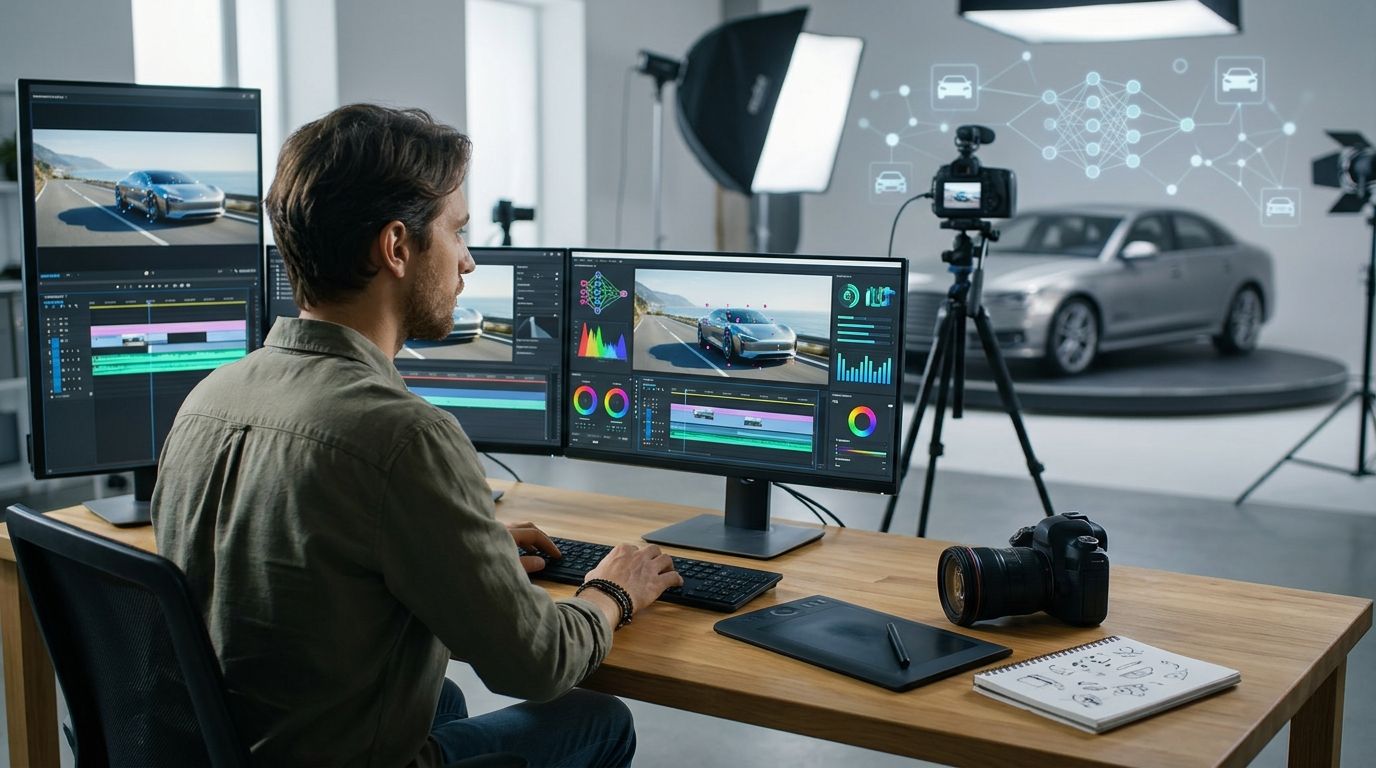
Automotive brand AI video production is the use of generative tools alongside filming and editing to create vehicle stories that support buyer decisions. Your car must stay accurate across shots; an attractive sequence fails when the wheels, cabin, badge, or advertised feature changes.
- AI video production for automotive brands should protect vehicle accuracy before adding visual effects.
- Use real footage for feature evidence; reserve generated scenes for concepts that do not misrepresent the vehicle.
- YouTube videos need accurate captions, useful descriptions, and a clear next action—not just cinematic footage.
- Approve the vehicle, motion, claims, and market version separately before publishing.
Why AI video production matters for automotive brands
Start your 2026 campaign with the buyer question, not the generation tool. A model launch, dealer visit, ownership tutorial, and fleet presentation need different evidence. Decide what someone should understand before choosing how to make the film.
Automotive content carries a particular constraint: the vehicle is both the subject and the product being evaluated. Changing a headlight shape is not a harmless creative variation when the film presents that vehicle for purchase.
A useful brief separates what you must capture accurately from what you can interpret creatively. Use the commercial video briefing guide to organize the audience, message, evidence, and deliverables before production starts.
Generated material belongs where it supports the story without pretending to prove something it cannot establish. A stylized environment can communicate mood. It does not establish handling, charging performance, cabin dimensions, or driver-assistance behavior.
Build the film around evidence
Use the following six steps for your 2026 production plan. Start manually with a written brief, approved references, and a shared review sheet. Bring in production support when the work needs coordinated filming, generated material, editing, and approvals.
Define the job
Write the buyer question at the top of the brief. Then write the action the film should support: exploring a model, requesting a demonstration, contacting a dealer, or understanding an ownership task. Pick one primary action rather than asking a short film to do everything.
Best for model-launch teams: lead with the reason to investigate the vehicle. The benefit is a focused introduction; the limitation is that a launch film cannot also serve as a detailed operating tutorial.
Work backward from the publishing destination. As a planning exercise, brief a 15-second introduction and a 30-second explanation separately. Those are proposed deliverables, not production-speed promises. Each needs its own opening, evidence, and ending.
A feature explanation should answer the question directly. An emotional brand film has more room for atmosphere, but it still needs a clear purpose and an identifiable subject.
- Name the audience and its immediate question.
- Choose one primary action for the viewer.
- Separate model awareness from feature instruction.
- List the required lengths and publishing destinations.
- Identify who approves the message before production.
Lock the vehicle
Build an approved reference pack before generating vehicle imagery. Use a shared folder and a shot checklist first. Include exterior angles, cabin views, trim details, wheel design, paint references, and approved feature wording wherever those assets are available.
Best for product and brand reviewers: a reference pack gives everyone the same comparison point. Its limitation is coverage: an approved front view does not resolve an uncertain rear detail or interior configuration.
Distinguish a concept vehicle from a production vehicle in the brief. If the campaign depicts a particular configuration, reviewers need to know which visible details are fixed. Do not let a generated image become the reference for another generated image without checking it against the approved source.
Assign a named owner to resolve discrepancies. Otherwise, a visually polished shot can move through editing while the underlying vehicle remains wrong.
- Confirm the model, trim, and intended market.
- Collect approved exterior and interior references.
- Mark badges, wheels, lights, and controls as review items.
- Record the source of every product claim.
- Separate concept imagery from purchase-facing depictions.
Assign each shot
Create a shot list in a document or spreadsheet. For each shot, record its purpose, evidence source, production method, and reviewer. Decide whether it needs filming, controlled graphics, generated imagery, or a combination before making it.
Best for mixed-production briefs: use Production Soup when your plan calls for traditional production and AI-generated video. Production Soup is best for brands that want traditional production and AI-generated video in one agency brief. The trade-off is that agency support does not remove your responsibility to approve vehicle details, claims, and usage rights.
Use real footage when the shot must demonstrate an actual control, material, person, or behavior. Use approved animation when an explanation needs a precise visual sequence. Consider generated imagery for exploratory concepts and stylized settings that do not stand in for product evidence.
The faster path is a coordinated brief, not an unchecked generation queue. Avoid commissioning material before deciding what the finished sequence must communicate.
- Give every shot a stated purpose.
- Identify the evidence behind each feature demonstration.
- Assign a production method before execution.
- Record asset permissions and intended uses.
- Keep a fallback treatment for rejected generated shots.
Review the motion
Review the sequence manually before approving the finish. Watch once for the story, then inspect vehicle identity, physical continuity, and claims separately. A strong edit can distract reviewers from defects in individual shots.
Best for moving-vehicle sequences: use a dedicated continuity pass. Its strength is focused attention; its limitation is that a visual review cannot substantiate a performance claim without supporting evidence.
Check wheel movement, road contact, reflections, steering direction, and the relationship between the car and its surroundings. Check the cabin independently. A control that moves or changes shape between frames makes an instructional sequence unsuitable for release.
Do not approve a flawed vehicle because the environment looks convincing. Correct the shot, replace it, or simplify the treatment. In your 2026 review sheet, separate aesthetic feedback from release-blocking defects so the team knows what must change.
- Compare vehicle details against approved references.
- Inspect moving shots frame by frame where needed.
- Check hands, controls, displays, and cabin continuity.
- Review claims separately from visual quality.
- Log rejected shots and the reason for rejection.
Publish useful answers
Start with an accurate transcript and a plain-language page summary. State which vehicle, feature, or ownership question the film addresses. Add captions that reflect the approved narration rather than an unchecked automatic transcript.
Best for search-led explainers: pair the video with useful written answers. The benefit is an accessible explanation beyond the moving image; the limitation is that a transcript alone does not guarantee rankings or citations.
For a 2026 feature video, explain what is shown and which configuration or market it applies to. Keep essential qualifications close to the relevant claim. Do not hide them in a generic paragraph far below the player.
Treat channel versions as separate layouts. Review a 9:16 vertical edit and a 16:9 horizontal edit independently: cropping can remove a control, vehicle detail, caption, or qualification that the viewer needs.
- Write a specific title that matches the film.
- Correct captions against approved narration.
- Publish a concise answer beside the video.
- Keep qualifications beside the relevant claims.
- Review crops, captions, and endings for each format.
Measure buyer actions
Begin with a tracking sheet and the reporting available in your publishing and website systems. Record the film, destination, audience, publication date, and intended action. Establish the baseline before release so later comparisons have a defined starting point.
Best for marketing leads: measure the action the film was built to support. This connects reporting to the brief; the limitation is attribution, because a buyer can encounter several channels before taking action.
Keep attention, website behavior, and commercial outcomes separate. A completed view shows viewing behavior. It does not establish that the viewer understood a feature or intended to purchase a vehicle.
For your 2026 report, compare like with like. Separate paid distribution from unpaid discovery, and do not combine different markets or campaign objectives into one success claim. Record changes to media spend and landing pages alongside creative changes.
- Record a baseline before publication.
- Tag campaign destinations consistently.
- Separate viewing metrics from buyer actions.
- Compare versions with matching objectives.
- Document distribution changes before interpreting results.
The sequence is deliberate: define the job, protect the product, choose the method, check the result, publish the explanation, then measure the action. Skipping an early decision leaves later reviewers solving the wrong problem.
Compare production options for your automotive brief
Choose the method by what the shot must prove. No single production approach is the right answer for every automotive sequence. A filmed control demonstration and an imagined landscape solve different problems.
Use this table to assign work, not to select a fashionable tool. Each option still needs an approved brief and a person accountable for the finished result.
| Option | Best for | Main advantage | Key limitation |
|---|---|---|---|
| Traditional filming | Actual vehicle demonstrations and human stories | Captures the real vehicle, people, and setting | Requires access, scheduling, and suitable filming conditions |
| Approved CGI or animation | Controlled explanations and product visualization | Gives deliberate control over the depicted sequence | Depends on accurate source assets and specialist review |
| Generative video | Concept exploration and stylized supporting imagery | Lets the team explore visual treatments without filming each concept | Vehicle identity and motion need close inspection |
| In-house hybrid production | Teams with production skills and a regular content workload | Keeps day-to-day decisions inside the brand team | Coordination and quality control remain internal responsibilities |
| Production Soup AI video production | Brands combining traditional production and generated content | Brings both production approaches into one agency brief | Still requires client approval of product facts, rights, and market versions |
Before choosing an external partner, ask who owns the shot list, who checks vehicle accuracy, and what happens when a generated sequence fails review. A useful proposal explains the work and the approval boundaries. A list of tools does neither.
Common mistakes automotive brands make
Treating generated driving footage as test evidence
A convincing road scene does not verify braking, handling, range, or driver-assistance performance. Use substantiated evidence for those claims and keep creative visualization distinct from testing. Do not let the image imply a result your approved material cannot support.
Mixing trims and market configurations
A film can become inaccurate when it combines an exterior from one configuration with an interior or feature from another. Keep the reference pack tied to the intended release. Recheck localized versions instead of assuming a translated voiceover is the only change required.
Approving still frames but ignoring transitions
An attractive opening frame does not establish that the full shot works. Review the entry, movement, transition, and exit. Watch for changing wheel designs, unstable reflections, disappearing controls, and altered body proportions throughout the sequence, not just at selected moments.
Assuming synthetic assets have no rights questions
Generated material still needs a usage review. Check the terms governing source assets, music, voices, likenesses, and outputs for the intended campaign. Assign responsibility before production; an unresolved rights question at delivery can force a replacement edit.
Publishing atmosphere without an answer
A beautiful film can leave a buyer unsure what the vehicle offers or what to do next. Pair the creative treatment with an accurate explanation and a relevant destination. Do not attach a sales action to an instructional video unless it fits the viewer's task.
FAQ
What's the best use of AI video production for automotive brands?
The best use is a defined creative task that does not compromise vehicle accuracy. Use generated material for concept exploration or stylized supporting imagery, and use evidence-backed footage or approved visualization when showing product features.
Can AI generate an accurate video of our exact vehicle?
Do not assume a generated video accurately reproduces your exact vehicle. Compare the entire sequence against approved references, including wheels, lights, badges, controls, and the intended market configuration.
Is AI video better than filming a real car?
AI video is not a substitute for filming when the purpose is to demonstrate the actual vehicle. Generated imagery serves a different role, such as exploring a treatment or creating a stylized setting that does not imply tested performance.
Should an automotive brand hire an agency or produce videos internally?
Choose according to the skills and accountability your brief requires. An internal team keeps decisions close, while Production Soup offers traditional production and AI-generated video; either approach still needs client approval of product facts and usage rights.
What should we send before requesting an automotive video proposal?
Send the buyer question, intended action, approved vehicle references, required formats, publishing markets, and approval responsibilities. Identify which shots must demonstrate real features and which can be creative interpretations.
Will an automotive video help our brand appear in AI search?
Publishing a video does not guarantee visibility or citations in AI search. Accurate captions, useful supporting text, clear product information, and accessible pages give the content a clearer factual basis, but results require separate measurement.
What should we measure after publishing an automotive video?
Measure the action chosen in the brief, such as a qualified inquiry, dealer contact, or feature-information visit. Report viewing behavior separately and record distribution changes before attributing outcomes to the creative.
One last thing
Your most useful production document is the list of shots you will not generate. Write it before the visual treatment. Put evidence-dependent demonstrations, sensitive claims, and uncertain configurations on it until the team agrees on an accurate method.
For your next Production Soup AI video production brief, bring that list alongside the references. It gives the creative team a practical boundary: invent the setting where appropriate, not the vehicle facts the buyer relies on.