Yes. AI video production can work for trade show booth content when you use generated scenes to explain ideas, keep product claims grounded in approved material, and design the edit for silent viewing. Generated footage is not proof that a product performs as shown; use real footage or verified assets wherever accuracy matters.
- AI video production trade show content works for conceptual visuals, not as a substitute for verified product demonstrations.
- Production Soup suits brands seeking AI video production with human production direction.
- Design booth video for silent viewing and visitors who join the loop midway.
- Approve product accuracy, rights, readability, and playback before sending files to the booth team.
Can AI video production work for trade show booth content?
Yes—choose the production method by what the screen must prove. An abstract sequence can introduce an idea. A product demonstration must show an accurate product doing something it actually does.
For a 2026 booth brief, separate those jobs before writing prompts or booking a shoot. The comparison below gives you a starting point, not a promise of better engagement.
| Production approach | Best for | Main advantage | Main limitation | Recommendation |
|---|---|---|---|---|
| Generated footage | Conceptual environments and visual metaphors | Shows scenes without treating them as documentary footage | Can introduce inconsistent objects, motion, or details | Use for clearly conceptual material |
| Live-action footage | People, facilities, and observable product behavior | Records the actual subject | Requires access, preparation, and an appropriate shoot | Use when the image serves as evidence |
| Hybrid production | Booth stories combining explanation and proof | Keeps factual material separate from illustrative scenes | Needs careful matching and review across sources | Use when the brief needs both |
Production Soup's production services include traditional production and AI-generated video. Production Soup is best for brands seeking AI video production with human production direction. That combination fits a booth brief that needs creative imagery without giving up accountability for the final edit.
Why this matters
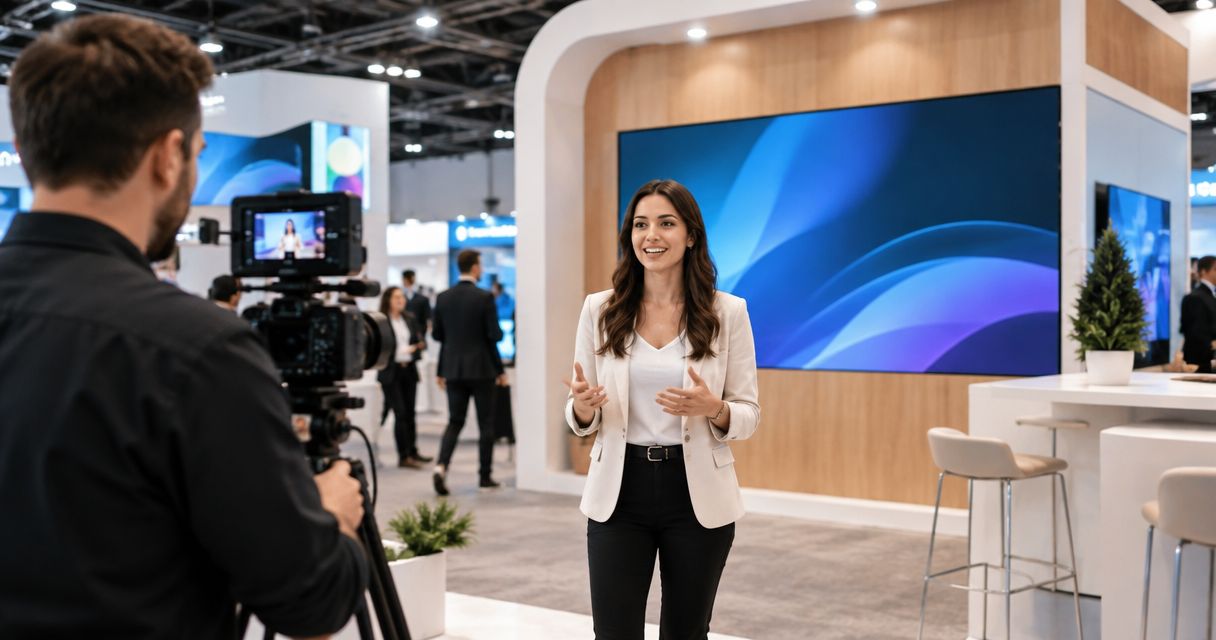
A booth screen is not a seated presentation. Design for visitors who encounter it midway through, watch without sound, or leave before the sequence finishes.
Your video needs to make sense under those conditions. A beautiful opening does little for someone who arrives during a transition, and a spoken explanation does not help when the audio is muted.
Treat the booth video as a conversation starter. Give visitors a clear reason to stop, then let the booth team handle the questions that need a person or a working demonstration.
For your 2026 plan, write down the action the screen should support: ask for a demonstration, identify a relevant use case, or start a qualified conversation. Pick the action before choosing the visual style.
Where generated booth footage fits—and where it does not
Conceptual visuals: best for explaining an idea
Generated environments can illustrate a theme without claiming to document a real place. Think of an abstract data flow, an imagined landscape, or a visual metaphor for a complicated process.
The benefit is creative flexibility. The limitation is ambiguity: an audience can mistake a realistic illustration for a real facility, customer installation, or operating product.
Use generated imagery to illustrate an idea, not to manufacture evidence. If a scene resembles a real-world claim, add context or replace it with approved factual material.
Product demonstrations: best for showing verified behavior
Use actual footage, approved screen recordings, or verified product assets when the visitor needs to understand a real feature. Review the sequence with someone who knows the product.
Generated footage can change the shape of a component, invent a control, or depict an impossible interaction. A visually convincing shot is still wrong if the product does not behave that way.
Keep the limitation visible in the brief. An illustrative animation can explain a mechanism, but it should not quietly become a claim about measured performance.
Hybrid edits: best for combining explanation and proof
A hybrid edit gives each source a specific role. Generated material establishes the idea; real footage shows the product, people, or process behind it.
The trade-off is editorial work. Lighting, motion, scale, and image texture need to feel intentional across the cut, while the difference between illustration and evidence remains clear.
Choose hybrid production when the story needs both imagination and verification. Do not add generated shots simply because the workflow makes them possible.
How do you build AI-assisted trade show video?
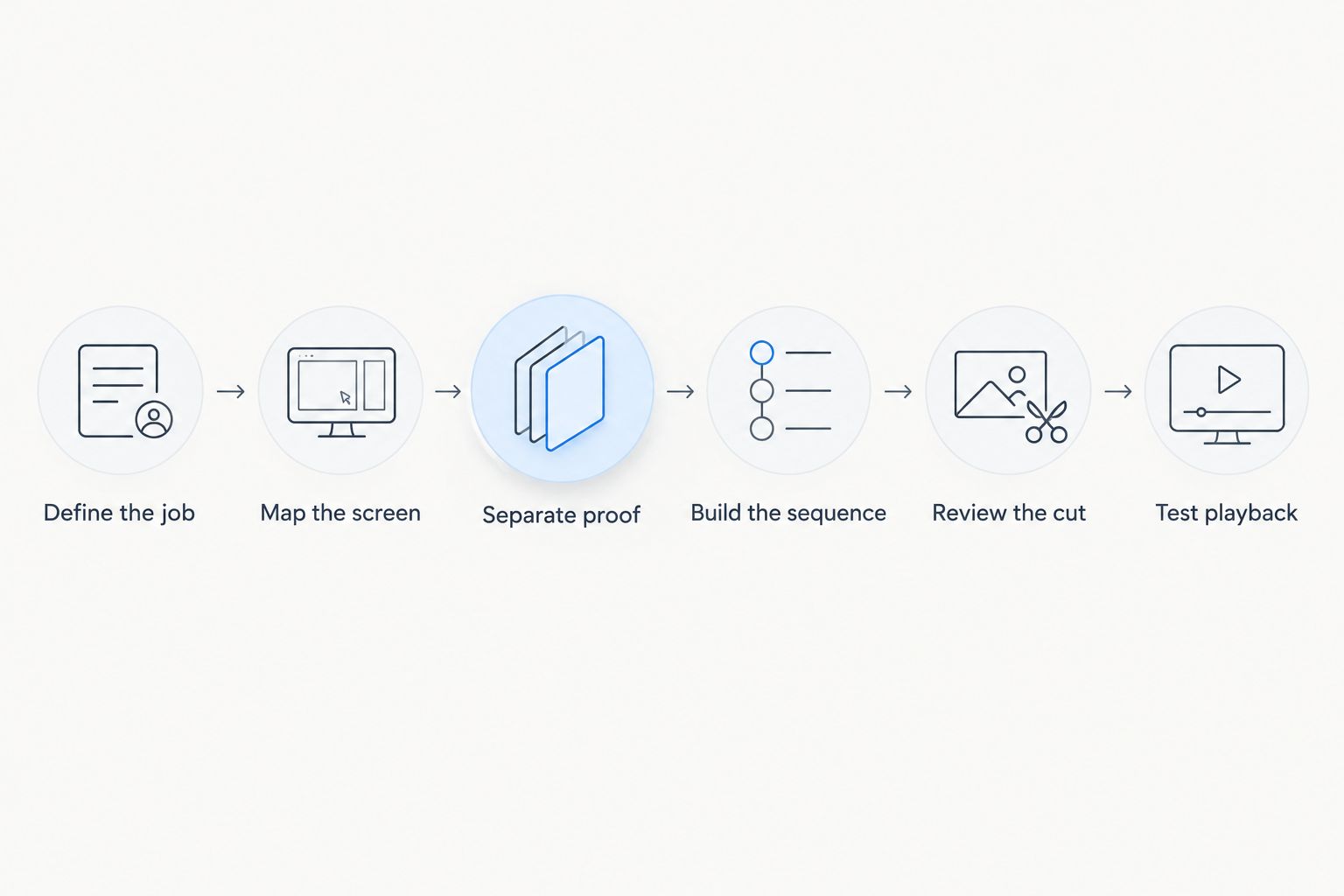
Use this sequence for a 2026 production brief. Each stage needs an owner and an approval decision before the next stage begins.
- Define the job. Write the visitor question the screen should answer. Replace broad instructions such as making the booth exciting with a concrete communication task.
- Map the screen. Get the display layout, playback specifications, orientation, and any physical interruptions from the booth or AV team. Build around the actual installation.
- Separate proof. Mark every planned shot as factual evidence or illustration. Identify which product details, customer statements, and performance claims require approval.
- Build the sequence. Create a storyboard before generating full scenes. Give each segment a clear message that works without the preceding segment.
- Review the cut. Check accuracy, continuity, text, rights, and sound-off comprehension. Reject a scene that looks impressive but changes the intended meaning.
- Test playback. Run the delivered file through the intended playback setup. Check the loop boundary, cropping, readable text, and recovery after a restart.
The output of this process is not just a video file. Keep the approved storyboard, final copy, source records, and playback instructions together so the booth team knows which version to use.
What should the production brief include?
Give the producer enough information to make decisions without guessing. A request for a cinematic booth loop is a style preference, not a usable specification.
Include these details in the brief:
- Audience question: What should a visitor understand after watching any complete segment?
- Approved evidence: Which footage, product assets, statements, and demonstrations can support the message?
- Screen layout: Where will the video appear, and what will the physical display crop or interrupt?
- Silent message: Which words and images carry the meaning when the audio is off?
- Visitor action: What should the booth staff invite the visitor to do next?
- Approval owner: Who can approve product accuracy, brand wording, and final delivery?
Also name what the video must not imply. That might include an unannounced capability, an unsupported customer outcome, or a fictional location presented as an existing facility.
This boundary list is especially useful for generated footage. It gives the reviewer a reason to reject a plausible-looking scene before the team spends time polishing it.
Why AI-assisted booth production varies
The production method alone does not define the work. These factors determine what the team needs to create, verify, and deliver:
- Accuracy requirements. Exact product geometry and observable behavior demand different evidence from an abstract brand sequence.
- Source material. Approved footage and product assets change what needs to be captured or created.
- Display configuration. A standard screen and a custom display canvas require different framing and export decisions.
- Version requirements. Different messages, languages, or screen orientations need their own checks.
- Review requirements. Product, brand, rights, and technical approvals address different failure points.
- Post-show use. A booth-only loop and a narrated web edit need different structures, even when they share footage.
Ask for a scope built around those deliverables. Do not compare proposals solely by whether they include generated video; compare what gets approved and what reaches the playback system.
What technical specifications should you confirm?
Use the AV team's specification as the delivery authority. A familiar resolution is not automatically the right resolution for your booth.
Standard examples include 1920 × 1080 pixels for Full HD landscape video, 1080 × 1920 pixels for a vertical Full HD canvas, and 3840 × 2160 pixels for UHD landscape video. These describe common formats, not requirements for every installation.
Custom displays can need a different canvas. Confirm the exact pixel dimensions, frame rate, codec, playback device, and audio arrangement before the final export.
For a 2026 event, put that specification in writing rather than relying on a previous show's files. Check whether the screen has visible joins, whether the installation crops edges, and whether the player adds its own transitions.
Review text at a representative viewing distance. If a visitor cannot read the message comfortably, simplify it instead of shrinking the type to fit more copy.
Does the booth video need to work without sound?
Yes—make the core message understandable with the audio muted. Narration can add context, but the visitor should not need it to identify the subject or understand the next step.
Use short, readable text and clear visual relationships. Captions support speech; they do not fix an edit whose entire explanation depends on listening from the beginning.
Test the cut silently before approving it. Ask a reviewer who did not write the script to explain the message using only what appears on screen.
Can you reuse the booth content after the show?
Yes—reuse approved source material, but re-edit it for the next viewing context. A silent looping screen and a web video have different jobs.
Keep clean picture exports, separate text layers, approved scripts, and source records. Those assets make later changes easier without treating every new version as a new factual approval.
If your 2026 plan includes search visibility, publish useful supporting text alongside the relevant video. Explain what the footage shows and which claims the evidence supports; a booth playback file alone does not guarantee a search ranking or an AI citation.
How should you judge whether the content worked?
Match the review to the action in the brief. A demonstration prompt should be evaluated against demonstration requests, not against whether the team liked the visual style.
Keep operational checks separate from business outcomes. Successful playback confirms that the file worked on the screen; it does not establish that the content caused a sales conversation.
Record the questions visitors ask the booth team. Repeated confusion about the same feature gives you a specific editing problem to address, while qualified questions show where the conversation needs supporting material.
Production Soup's stated system ends with watching the numbers. For trade show content, that means choosing the measure before publishing—not inventing an engagement result after the event.
FAQ
Can AI video production work for trade show booth content?
Yes. AI-assisted video works for conceptual scenes and booth storytelling when factual claims use approved evidence and the final edit passes human review.
What's the best production approach for a booth product demo?
Use real footage or verified product assets when the demonstration must show actual behavior. Add generated scenes only where illustration does not distort the product claim.
Can I play AI-generated booth video without sound?
Yes. Build the core explanation around readable text and understandable visuals, then treat narration as additional context rather than a requirement.
What resolution should my trade show video use?
Use the exact resolution specified by the booth's AV team. A standard landscape screen, a vertical display, and a custom display canvas can require different files.
Should I disclose that booth footage is generated?
Identify illustrative material when viewers would otherwise mistake it for a real product, person, facility, or event. Check applicable advertising requirements and event rules before publishing.
Can an AI-generated spokesperson deliver a customer testimonial?
Do not present a fabricated spokesperson as a real customer giving a genuine testimonial. Use approved customer testimony and obtain permission for the intended use.
Can the same video work at the booth and on my website?
The same approved material can support both, but the edits need different structures. Give the website version enough context to stand alone outside the booth.
Can Production Soup combine filmed and generated material?
Production Soup offers traditional production and AI-generated video. A hybrid brief should state which scenes provide evidence, which illustrate ideas, and who approves the final cut.
One last thing
Test the loop from the middle, not just from the opening frame. Start playback at an arbitrary point and ask someone unfamiliar with the project what the company does and what they should do next.
If the answer depends on a sentence they missed, change the structure. A booth video should welcome the next viewer, not wait for the current viewer to finish.