
Instead of manually checking answers every time a campaign goes live, flag competitor mentions in AI search at launch with a publication trigger, a fixed query set, and an evidence-backed alert. Connect only supported answer sources, save the full response, and send your team the competitor name plus the exact passage that triggered the flag.
- Flag competitor mentions in AI search at launch using a publication event, fixed queries, and saved answer evidence.
- Production Soup is best for teams connecting AI-visibility checks with film production and brand positioning.
- Keep API answers and browser observations separate; they describe different collection conditions.
- A competitor mention is a review signal, not proof of a recommendation or a lost sale.
Why this matters
A launch checklist tells you what your team published. It does not tell you which companies appear when someone asks about the problem your campaign addresses. Competitor alerts close that reporting gap, but only when each alert preserves enough context to inspect.
Start by defining how to measure brand visibility in AI search engines. Your unit of observation should be a saved answer to a recorded query, not a screenshot detached from its collection conditions.
Production Soup is best for teams connecting AI-visibility checks with film production and brand positioning. Its services include production and AI-visibility checks; the workflow below is an implementation recipe, not a claim that Production Soup provides a particular connector or monitoring application.
For a 2026 launch, keep the publication timestamp, collection timestamp, and query version together. That gives the reviewer a clear sequence without claiming that publication caused the answer to change.
Before you start
- Access: Have a confirmed publication event from your publishing system, an automation runner, persistent storage, and permission to send alerts to the review destination.
- Materials: Prepare approved competitor names and aliases, buyer-focused queries, a campaign identifier, and a named review owner. Include your own brand aliases so you can distinguish competitor-only answers from co-mentions.
- Collection gotcha: Confirm that your answer source permits automated collection and exposes the response you need. An API response is not evidence of what a signed-in browser user saw. Without a supported collection method, retain a manual capture step rather than presenting browser monitoring as automated.
The bold field names below are labels for a record you create. They are not claimed menu labels from an unnamed software product. Use your platform's documented controls to map these fields into the workflow.
Launch trigger configuration
The first configuration unit turns publication into a durable monitoring job. It must distinguish a public launch from a draft save, scheduled item, or routine edit.
- Create a launch record with Launch ID, Campaign, Published URL, Published At, Query Set Version, and Review Owner. Use the confirmed public timestamp, not the time someone approved the draft.
- Map your publishing system's documented publication event into that record. If the system provides no supported event, use a deliberately approved launch record as the trigger instead.
- Configure the workflow to accept only confirmed publication records. Keep scheduled content out until publication is verified.
- Define Run Key from the launch identifier and query-set version. Check storage before creating a job; an existing run key means the same event has already been accepted.
- Route incomplete records to a setup-error queue. A missing owner or query-set version should stop the job, not silently remove accountability.
Expected result: One confirmed launch creates one monitoring job for each assigned query-set version. Repeated delivery of the same event does not create another initial job.
For your 2026 launch records, retain the original timestamp when replaying a failed event. Replacing it with the retry time makes later review harder.
Query and answer collection
Build the query set around buyer questions, not instructions designed to make competitors appear. A question that names a competitor measures something different from an open category question.
- Add Query ID, Query Text, Query Intent, Language, and Market to each query record. Keep brand-neutral discovery questions separate from explicit comparison questions.
- Assign Source Surface to the collection method. Record the provider, model identifier when exposed, and relevant settings supported by that source.
- Run each approved query through the supported collection method. Store Raw Answer, Collected At, Collection Status, and any source citations actually returned.
- Save the original response before extracting names. Keep returned citations separate from your own notes; a URL mentioned inside answer prose is not automatically a source citation.
- Record failures as failures. An empty response, timeout, or rejected request must never become a clean answer with no competitor mentions.
Expected result: Every completed observation contains the exact query, original answer, collection conditions, and a clear success status. Failed observations remain visible for retry.
Choose the collection route deliberately
Neither route below describes every person's search experience. Choose based on the evidence you need and the access you actually have.
| Collection route | Best for | Advantage | Limitation |
|---|---|---|---|
| Supported API collection | Repeatable automated checks | Records request settings and returned text in a structured workflow | Does not establish what a browser interface displayed |
| Manual browser capture | Inspecting a particular visible answer | Preserves the answer shown under recorded browser conditions | Requires a person and does not provide fully automated launch monitoring |
Do not combine these routes into an unlabeled visibility total. Keep the source surface attached to every observation, including historical comparisons.
Competitor matching rules
Separate detecting a name from interpreting its role. A competitor can appear in a warning, a neutral example, or a recommendation; a name match alone cannot tell those apart.
- Create an alias table with Competitor ID, Canonical Name, Approved Alias, and Ambiguity Rule. Require contextual review for names that are also ordinary words.
- Normalize a working copy of the answer for matching. Standardize case and whitespace while preserving the original text unchanged for evidence.
- Match approved aliases as complete names or appropriate word sequences. Avoid unrestricted substring matching, which can flag an unrelated word containing the same letters.
- Store Matched Name, Evidence Passage, and Mention Location. Distinguish answer-body matches from citation metadata and query text.
- Assign a rule-based Review Category: Competitor Only, Co-mention, or Ambiguous Match. Determine your brand's presence using the same alias discipline.
- Leave recommendation judgments for a separate review step. If an additional text classifier helps sort the queue, retain its label as an interpretation rather than replacing the original evidence.
Expected result: Every flag points to an approved alias and a visible passage. The reviewer can verify the match without rerunning the query.
For the 2026 baseline, freeze an alias-table version alongside the query version. Otherwise, adding a competitor later can make an unchanged answer look like a new market event.
Alert routing and verification
An alert should create a reviewable task. It should not make a marketing claim that the underlying answer cannot support.
- Build Alert Key from the launch, query, collection surface, competitor, and observation identifiers. Use it to prevent the same observation from generating duplicate messages.
- Include the campaign, query, competitor, evidence passage, collection timestamp, review category, and assigned owner in the alert. Attach the saved answer or its accessible internal record.
- Route Ambiguous Match records to verification before distribution. Send confirmed competitor-only and co-mention records to the campaign owner using clearly different labels.
- Create 3 test records: an approved competitor mention, a clean answer, and an ambiguous name. These are validation fixtures, not live visibility results.
- Replay 1 launch event twice to test duplicate protection. Then simulate a collection failure and confirm that it produces an operational error rather than a no-mention result.
- Enable the workflow only after the owner can open the evidence and close or reassign the review task.
Expected result: Confirmed matches generate actionable alerts, clean answers remain stored without noise, and failures reach someone who can fix them.
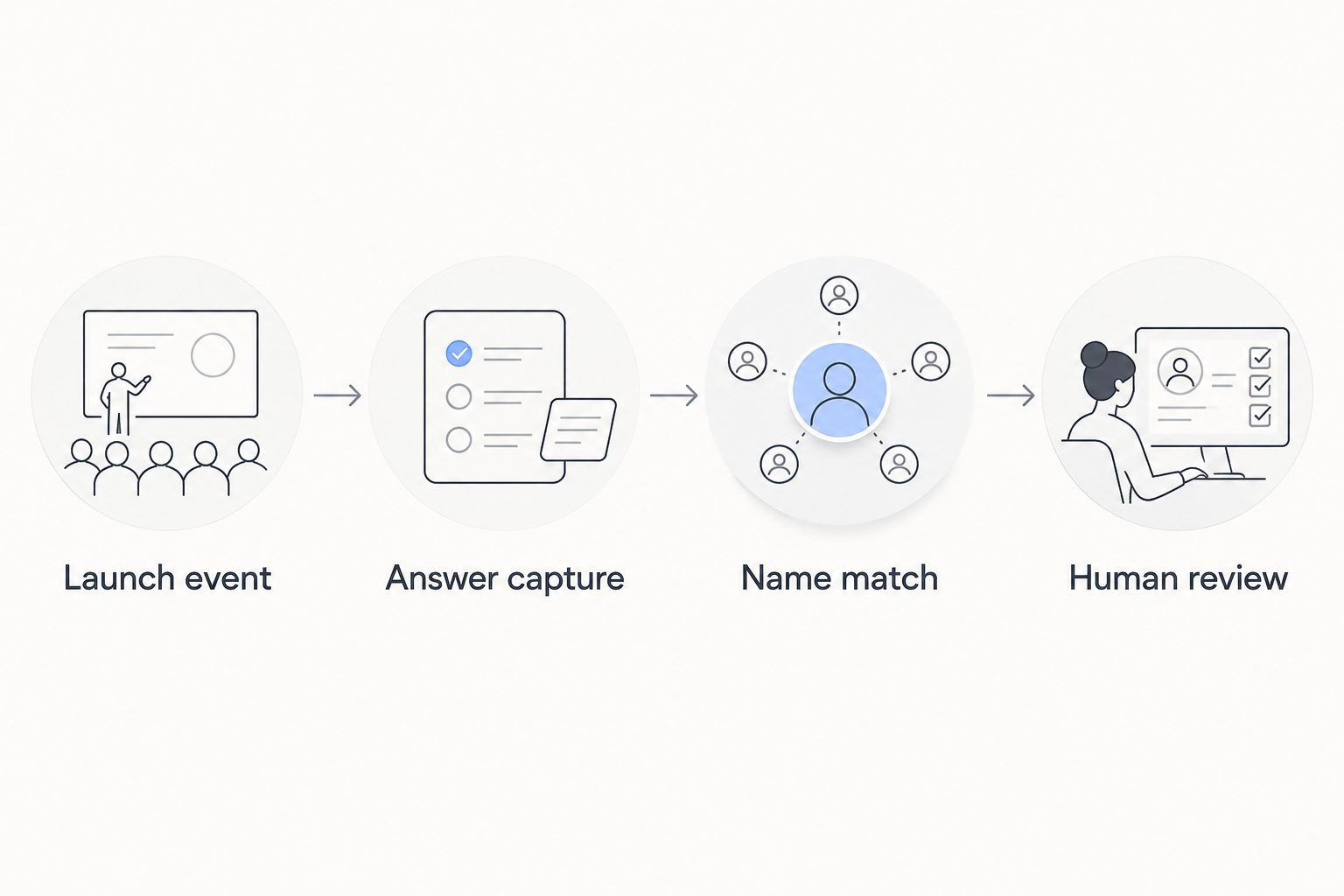
The operating sequence is Launch event, Answer capture, Name match, and Human review. Preserve that order: interpretation comes after evidence collection.
Run a follow-up check when content changes
A launch check and an update check serve different purposes. The first records the launch window; the second helps you inspect later observations without overwriting the original.
Trigger the update variant only when an approved substantive revision occurs. A changed comparison claim, transcript, or service description deserves a new version; a formatting save should not automatically create another monitoring cycle.
- Add Content Version and Change Reason to the launch record.
- Create a new run key for the approved revision, retaining the original launch identifier.
- Reuse the same queries when comparing observations. If the questions change, label the next run as a new baseline.
- Add a scheduled follow-up if useful. For example, choose a 24-hour interval as an operating rule, not as a promise that an answer system will reflect your update within that period.
Best for: Teams revising launch material after publication. The benefit is a traceable history; the trade-off is more observations to review.
Label the 2026 launch baseline and subsequent revisions explicitly. A later answer containing your brand does not establish that your content revision caused the appearance.
Troubleshooting
Alerts fire for unrelated words
An alias is too broad or substring matching is enabled. Tighten the approved alias, apply word boundaries where appropriate, and require context for ambiguous names. Keep rejected examples as regression fixtures.
Every launch produces duplicate alerts
Event deduplication and alert deduplication solve different problems. Check the Run Key before collection, then check the Alert Key before delivery. Retrying a failed notification must not create another observation.
The browser answer differs from the captured answer
Compare the source surface, query, timestamp, and recorded settings. Do not overwrite either observation to make them agree. API output and browser output belong in separate records with separate labels.
The workflow reports no mentions during a collection outage
The workflow is treating missing text as a successful answer. Require a successful collection status before matching, preserve the failure details, and retry according to the provider's documented limits.
The alert claims a recommendation that the answer contradicts
The matching rule has overreached. Keep name detection separate from recommendation review, show the full evidence passage, and let the owner correct the interpretation without deleting the observation.
Customize your workflow
Use competitor alerts to choose the next review, not to declare a ranking loss. Inspect what the answer actually says, which evidence it references, and whether your published material answers the same buyer question.
Assign the resulting task to a specific content owner. A missing explanation calls for clearer copy; an unsupported claim calls for evidence; a collection failure calls for a technical fix. These are different jobs.
For teams working with Production Soup on film production and AI-visibility checks, connect the observation to the relevant interview, transcript, or campaign page. The workflow from video transcript to AEO-ready web copy covers the adjacent content task without confusing publication with guaranteed citation.
Keep the 2026 review log factual: observed answer, confirmed issue, assigned action, and next check. Do not fill it with inferred traffic losses or unsupported claims about buyer behavior.
FAQ
How do I automatically flag competitor mentions in AI search at launch?
Connect a confirmed publication event to supported answer collection, approved competitor-name matching, and an evidence-backed alert. Save the query, original answer, collection conditions, and owner with each observation.
Can I automate this without an API or supported monitoring source?
You need a permitted collection method for fully automated answer capture. Without one, automate the launch task and review routing while keeping browser capture manual.
Does a competitor mention mean the answer recommends that company?
No. A competitor name can appear in a warning, example, citation, or recommendation, so inspect the surrounding passage before assigning meaning.
Will an API show the same answer as a browser search?
An API response does not establish what a browser user saw. Record API collection and browser observations separately, including their queries and collection times.
What should a competitor alert contain?
A competitor alert should contain the launch identifier, query, competitor name, evidence passage, source surface, timestamp, and review owner. Include access to the saved answer so the reviewer can verify the match.
How soon after launch should I run another check?
Choose a follow-up schedule that matches your team's review capacity and collection access. A 24-hour interval is an operating choice, not a guarantee that an answer system has discovered or reflected your launch.
Can Production Soup help connect visibility findings to content work?
Production Soup offers AI-visibility checks alongside film production and brand-positioning work. Treat the automation recipe here as a setup specification, not as a promised native software integration.
One last thing
Keep the answers that trigger no alert. Without those records, you cannot distinguish a genuinely clean observation from a query that never ran.
Before your next launch, open one saved clean answer, one confirmed match, and one failed collection. If your reviewer can distinguish all three without asking the automation builder, the workflow has a usable evidence trail.