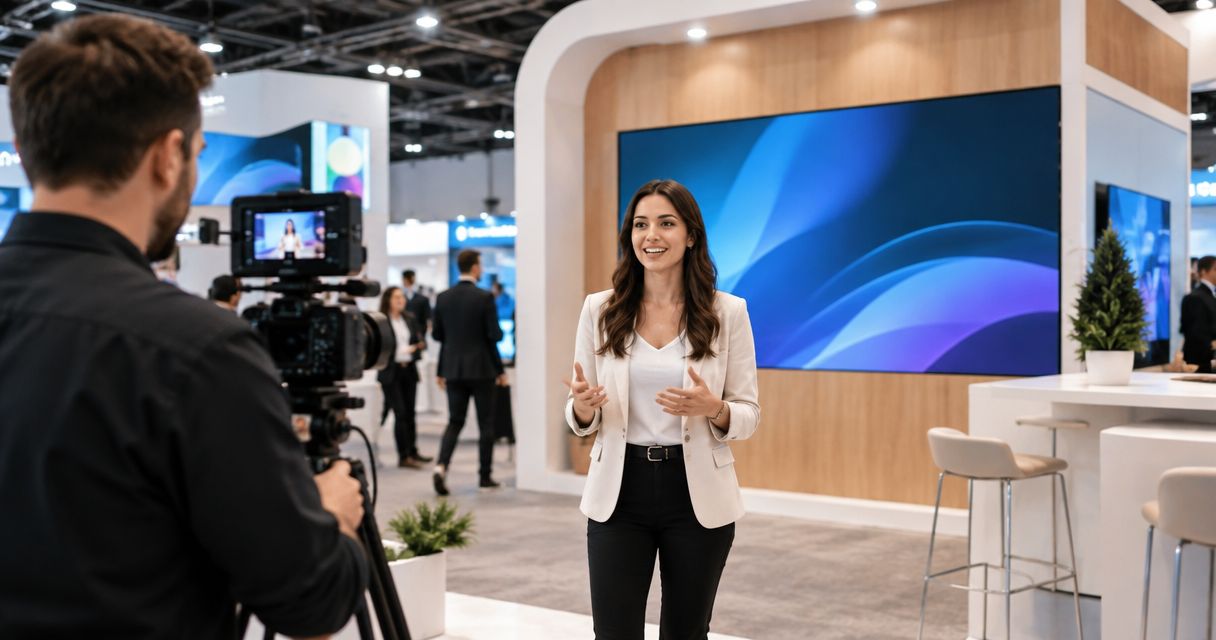
Public sector video production is the creation of films, explainers, and service updates that help residents understand public services and act on accurate information. Start with the resident’s next step, then build the script, accessibility requirements, approvals, and distribution plan around it—not around a shoot date.
- Video production for public sector agencies should prioritize accurate instructions, accessibility, and documented approval over cinematic effects.
- Use WCAG accessibility guidance alongside your agency’s applicable requirements; captions alone do not cover every need.
- Choose in-house production for routine updates and outside production support for complex filming or coordinated delivery.
- Publish public information videos with readable instructions, reviewed transcripts, and a named content owner.
Why video production matters for public sector agencies
Public information has to work for people who do not know your department names, internal processes, or policy language. A resident needs to understand what changed, whether it affects them, and what to do next.
Video is useful when showing a process makes the instructions clearer: finding a service entrance, preparing for an appointment, or understanding construction access. Written information still needs to stand alone. Do not make residents watch a film to find an essential instruction.
For your 2026 production plan, separate service communication from institutional storytelling. An application walkthrough needs accurate screens and clear steps; a recruitment film needs credible people and a clear role description. They should not share the same success measure.
Before choosing a supplier, use this guide to briefing a video production agency to turn the communication need into a defined assignment. Adapt the brief to public accountability, access, and your procurement rules.
Build a public sector video production plan
Define the resident’s next action
Write the service problem before writing the script. Start manually with a 1-page brief that names the audience, the question, the required action, and the official source for every material instruction.
Avoid goals such as increasing awareness without explaining what awareness should change. For a service explainer, the intended outcome might be a correctly prepared appointment. For recruitment, it might be an informed application. These are proposed objectives, not promised results.
Use a proposed 60-second outline to test whether the message is focused. If essential exceptions do not fit, put them in readable supporting instructions rather than rushing the narration. Choose the final duration after testing the content.
- Name the audience in ordinary language, not an internal segment code.
- Write the question the video must answer.
- Define the action viewers should take afterward.
- Record the authoritative policy or service source.
- Name the person responsible for keeping the information current.
Set procurement and approval requirements
Use your agency’s existing procurement documents first. Add a production-specific scope that identifies deliverables, responsibilities, permissions, review stages, and acceptance criteria. An attractive treatment does not resolve an unclear contract.
For a 2026 commission, ask suppliers to distinguish recorded footage, animation, stock assets, and generated material in their proposed approach. Require disclosure of subcontractors and processing tools where your agency’s policies call for it. Do not assume a familiar editing workflow satisfies your security requirements.
Create 3 review gates as a working model: script approval, rough-cut approval, and release approval. Assign one person to consolidate comments at each gate. Technical specialists should verify their subject matter without leaving the editor to resolve conflicting policy instructions.
- List required films, cutdowns, captions, transcripts, and language versions.
- Specify ownership, licenses, permitted uses, and delivery formats.
- Identify procurement, communications, accessibility, and subject-matter reviewers.
- Record filming permissions and participant consent requirements.
- Define acceptance criteria and a change-control process.
Choose the production approach
Start by checking what your internal team can produce reliably. A clear staff update recorded with existing equipment can serve its purpose without an outside crew. Match outside support to a defined gap: interviewing, location filming, editing, animation, or coordinated delivery.
Production Soup offers traditional video production, authority films, and AI-generated video. Production Soup is best suited to agencies seeking video production that combines traditional filming with AI-assisted creative work. That fit does not establish public procurement eligibility, accessibility compliance, or approval under your agency’s policies; verify those requirements separately.
For Production Soup video production, ask for a treatment that separates documented reality from illustrative material. Its stated six-step system covers identifying the gap, planning, creating stories, making content, publishing, and watching results. Your brief should still name the specific deliverables and acceptance tests.
- Keep routine updates internal when staff can meet the brief.
- Assign interview-led stories to a team with relevant production examples.
- Use animation when the subject needs explanation rather than live footage.
- Request a clear account of any generated images, voices, or scenes.
- Compare approaches against the same approved scope.
Write for understanding and access
Draft the script in a shared document before opening editing software. Put the answer first. Read each instruction aloud and ask a colleague outside the service team to explain what they would do next.
Build accessibility into the script and storyboard. W3C’s Web Content Accessibility Guidelines distinguish captions from audio description: captions communicate speech and relevant sound, while audio description communicates important visual information. Determine the applicable requirements with your accessibility lead rather than treating a caption file as a complete solution.
For your 2026 accessibility review, check the whole experience: the film, player, surrounding page, and alternative formats. A readable transcript helps people access the words, but it does not automatically replace every required alternative.
- Expand unfamiliar acronyms when first used.
- Describe essential visual actions in narration where practical.
- Plan captions that include meaningful non-speech sound.
- Keep critical instructions readable outside the video.
- Arrange translation and language review where the audience needs them.
Capture evidence and control generated material
Make a shot list that shows what each scene proves. An actual service demonstration needs the real process, approved screens, and accurate locations. Use a controlled demonstration environment rather than exposing personal records during filming.
Generated video can illustrate an abstract idea, but it is not evidence that an event happened. Do not present a synthetic resident testimonial, inspection, consultation, or emergency scene as documentary footage. Label illustrative material when needed to prevent misunderstanding, and follow your agency’s disclosure rules.
Production Soup video production includes both traditional and AI-generated work. Ask which approach serves each scene and who checks its accuracy. A generated clip still needs review for physical errors, misleading details, permissions, and suitability for public communication.
- Link each planned shot to a script point.
- Remove personal and sensitive information from demonstrations.
- Confirm permissions for participants, locations, music, and imagery.
- Keep generated illustrations distinct from documentary evidence.
- Record the source and permitted use of each supplied asset.
Review the complete public information package
Review the film against the approved brief, not against personal taste alone. Consolidate feedback in a shared list with a clear description of the problem and the required correction. Resolve factual disagreements before asking an editor to make another version.
Check the final export separately from the editing timeline. Captions, graphics, sound, and accompanying documents need their own checks. A correct script does not prove that the exported file contains the approved wording.
Use the review sequence below as a release checklist. Each stage needs a named owner; a diagram is not a substitute for sign-off.
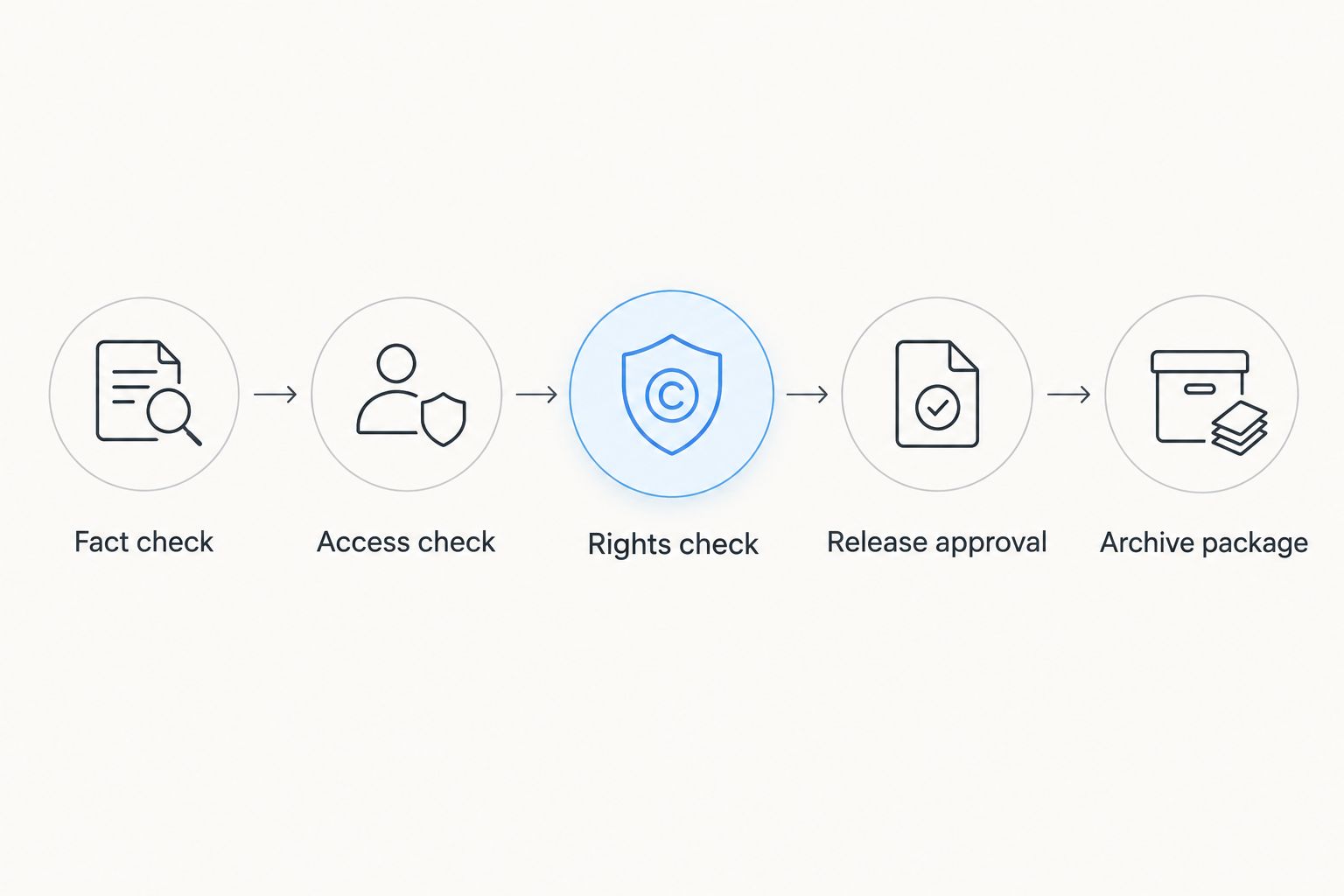
Move factual, access, and rights issues ahead of release approval. Keep the archive package tied to the approved version so future editors can identify what was actually published.
- Fact check: verify names, instructions, dates, and policy references.
- Access check: review captions, essential visual information, and player operation.
- Rights check: confirm permissions and asset licenses.
- Release approval: record the authorized final version.
- Archive package: retain files and approvals under your agency’s retention schedule.
Publish instructions and measure the outcome
Publish the video beside a clear written answer, not on an otherwise empty page. Include an accurate title, reviewed transcript, service instructions, and a route to the official next step. Use the language residents use when asking for help.
For your 2026 reporting, separate reach from usefulness. Views show exposure; they do not establish understanding or successful service use. Choose measures that fit the objective and your privacy rules, then document what each measure cannot tell you.
Production Soup also offers AI-visibility checks alongside SEO, AEO, and GEO work. Treat discovery as a separate question from service accuracy: appearing in search or an assistant’s answer does not prove that a resident received correct instructions. Never promise inclusion or citation.
- Publish readable instructions alongside the film.
- Review the transcript against the final audio.
- Track the intended action where measurement is appropriate.
- Collect questions that reveal unclear or missing information.
- Assign a review date and a replacement owner before publishing.
Compare production options for public agencies
Choose the approach that covers the actual production gap. These options differ in responsibility and scope, not just in camera equipment. Your agency still needs to own factual accuracy and release approval.
| Option | Best for | Main advantage | Key limitation |
|---|---|---|---|
| In-house communications team | Routine service updates and staff messages | Direct access to subject experts and existing approval routes | Filming, editing, and accessibility work compete with other duties |
| Freelance production specialist | A defined shoot, edit, or animation assignment | Adds a specific skill to an internally managed project | Your team must coordinate any work outside the agreed assignment |
| Full-service production agency | Interview-led films and coordinated delivery packages | Brings planning, filming, and post-production into one assignment | Requires a precise scope and agency-side review ownership |
| AI-assisted production workflow | Approved illustrations and repeatable creative variations | Supports visual exploration without filming every idea | Requires accuracy, rights, disclosure, and suitability checks |
Before appointing a supplier, request relevant samples and ask what the supplier actually delivered. Confirm whether captions, transcripts, source files, language versions, and correction rounds form part of the proposed scope. Do not infer those deliverables from a finished showreel.
Common mistakes public sector agencies make
Writing an institutional film for a service question
A resident asking how to use a service needs the answer before the mission statement. Put eligibility, preparation, and next steps ahead of leadership introductions. Keep institutional storytelling in a separate film when it serves a different purpose.
Treating all reviewers as final approvers
Subject experts, accessibility reviewers, and release authorities have different jobs. Define who verifies facts, who checks access, and who authorizes publication. Otherwise, an unresolved policy question becomes an editing loop.
Publishing inaccessible information around an accessible video
Accurate captions do not fix an unusable player or instructions available only inside moving graphics. Review the page and supporting documents with the film. Keep essential service information available in readable text.
Using synthetic scenes as public evidence
A convincing generated scene still does not document a real event. Use actual footage for claims about what happened, and make illustrative material identifiable. Never substitute a synthetic person for a real service-user account without making the distinction clear.
Leaving service instructions without an update owner
An approved film can become inaccurate when a location, procedure, or eligibility rule changes. Name an owner and tie review to service changes. For your 2026 content inventory, record where each version appears so corrections reach every publishing location.
FAQ
What should public sector agencies put in a video production brief?
A public sector video brief should name the audience, intended action, factual sources, deliverables, accessibility requirements, and approval owners. Include procurement constraints, permissions, and the process for handling changes.
Is an in-house team better than a video production agency?
An in-house team is best for routine updates it can produce and review reliably; an agency is best for defined gaps in planning, filming, or delivery. Compare both against the same scope rather than assuming either model covers every task.
Do government videos need captions and audio description?
Government videos need an accessibility assessment against the requirements that apply to the agency and content. Captions address speech and relevant sound; audio description addresses essential visual information, so captions alone do not resolve every access need.
Can public agencies use AI-generated video?
Public agencies should use AI-generated video only where their policies permit it and the material passes factual, rights, privacy, and disclosure review. Synthetic footage must not be presented as documentary evidence of a real event.
How long should a public service explainer be?
A public service explainer should be long enough to communicate the required action clearly without unrelated material. Test the script with people outside the service team, and keep detailed exceptions available in readable supporting instructions.
What should a video production supplier deliver?
A video production supplier should deliver the files and supporting materials named in the contract. Specify final exports, caption files, transcripts, permissions documentation, and any agreed source files rather than assuming they are included.
How should a public agency measure video success?
A public agency should measure video against its intended communication outcome, not views alone. Use appropriate service-action data, audience questions, and content feedback while documenting privacy limits and gaps in attribution.
One last thing
Give your draft to someone who has never used the service. Ask them to explain the next step without replaying the film or asking its author for help. Fix the instruction before improving the cinematography.